This is part 3 of the Agent production system series. Previous: Human approval. Constellation nodes: Docker host, Azure / ADO, Dashboards.
Words I use below
- Homelab — the small, always-on computer setup in my house that runs real services for the household and for agents, not a laptop demo that dies when I close the lid
- Container — a boxed-up app (and its dependencies) that runs the same way on different machines; if one misbehaves, it fails in a smaller blast radius than “the whole computer”
- Compose — a config file that says which containers to start, how they connect, and what secrets they get, so you recreate the world from files instead of folklore
- OrbStack — the Docker runtime I use on the Mac Mini (think “Docker Desktop, but lighter on Apple silicon”) so containers actually run on that host
- Reverse proxy — one front door for many services; you hit one place instead of a pile of bookmarked
:portURLs - VPN gateway — a container that holds the download traffic behind a tunnel; if the tunnel drops, that traffic drops with it instead of leaking out the front door
- Watchtower — a helper that updates container images on a schedule, but only for services I’ve labeled as allowed to drift
- Agent-operated ops — agents can propose and run routine operations under the same gates as code — not root plus good intentions
Those eight words are the toolkit. Now the point.
Agents need somewhere to live. Chat UIs hide that fact. Production does not.
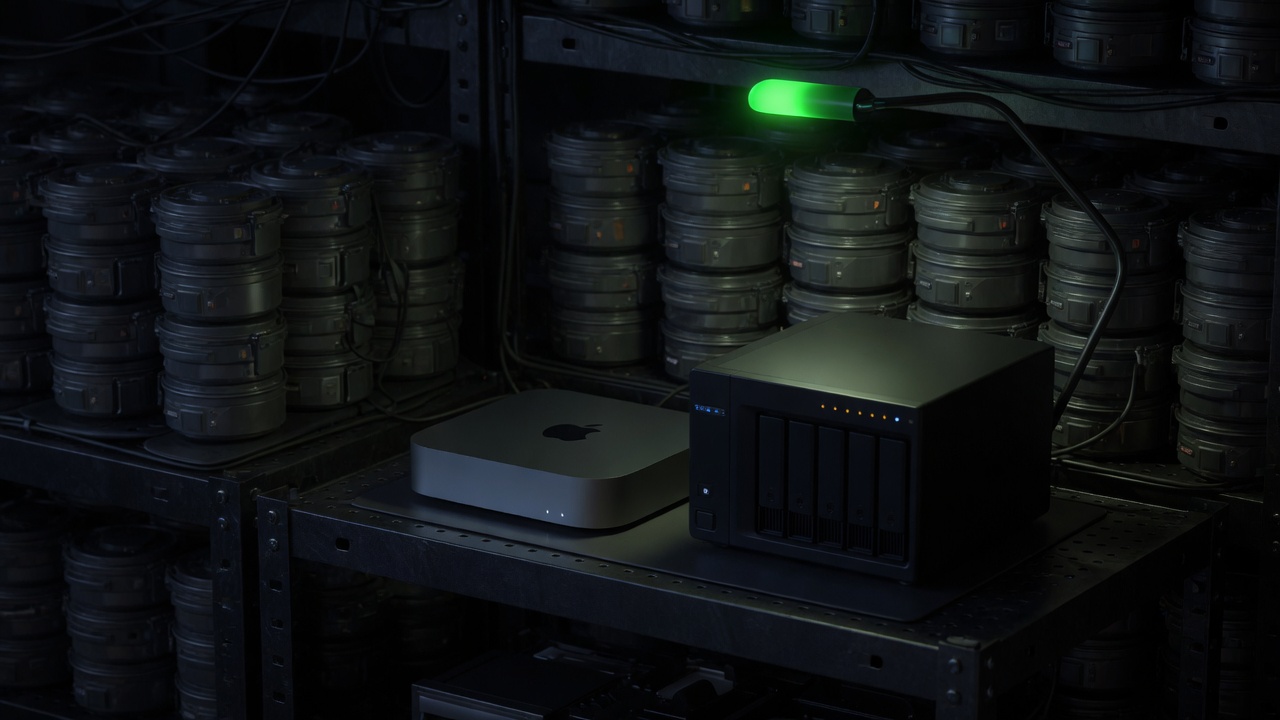
I operate a Dockerized homelab with 20+ production containers split across two physical hosts — a Mac Mini M4 running the compute-heavy services under OrbStack, and a Synology NAS handling bulk storage, VPN-gated download automation, and the public-facing reverse proxy. That number is on the About page for a reason: it is a real ops footprint, not a laptop demo.
It also didn’t start life as an AI project. It started as the place I run Plex for movie and TV night and keep a genuinely well-organized backup of every PC game I’ve bought over the last two decades. The agent-operated layer got bolted onto infrastructure that already had to work for normal-person reasons — that’s a different design constraint than building a homelab from scratch to impress an AI audience, and I think it’s a healthier one.
Why the host layer matters
Without a host story, “multi-agent” collapses into:
- One laptop session
- One API key
- One human watching a terminal
With a host story, you get:
- Isolation — services and agents fail in smaller blast radii
- Repeatability — recreate the world from compose/config, not folklore
- Surfaces for control — health, logs, restarts, and dashboards
None of that is abstract to me. Isolation means a container that starts misbehaving doesn’t take down Plex while someone’s mid-episode. Repeatability means when I moved my download automation off the Mac Mini and onto the NAS behind a VPN tunnel, the move was “point a new host at the same compose file and secrets” instead of re-learning three months of manual settings by hand. Surfaces for control means I have a dashboard sitting behind a reverse proxy, so “is anything actually broken right now” is a glance instead of SSH-ing into two machines to check.
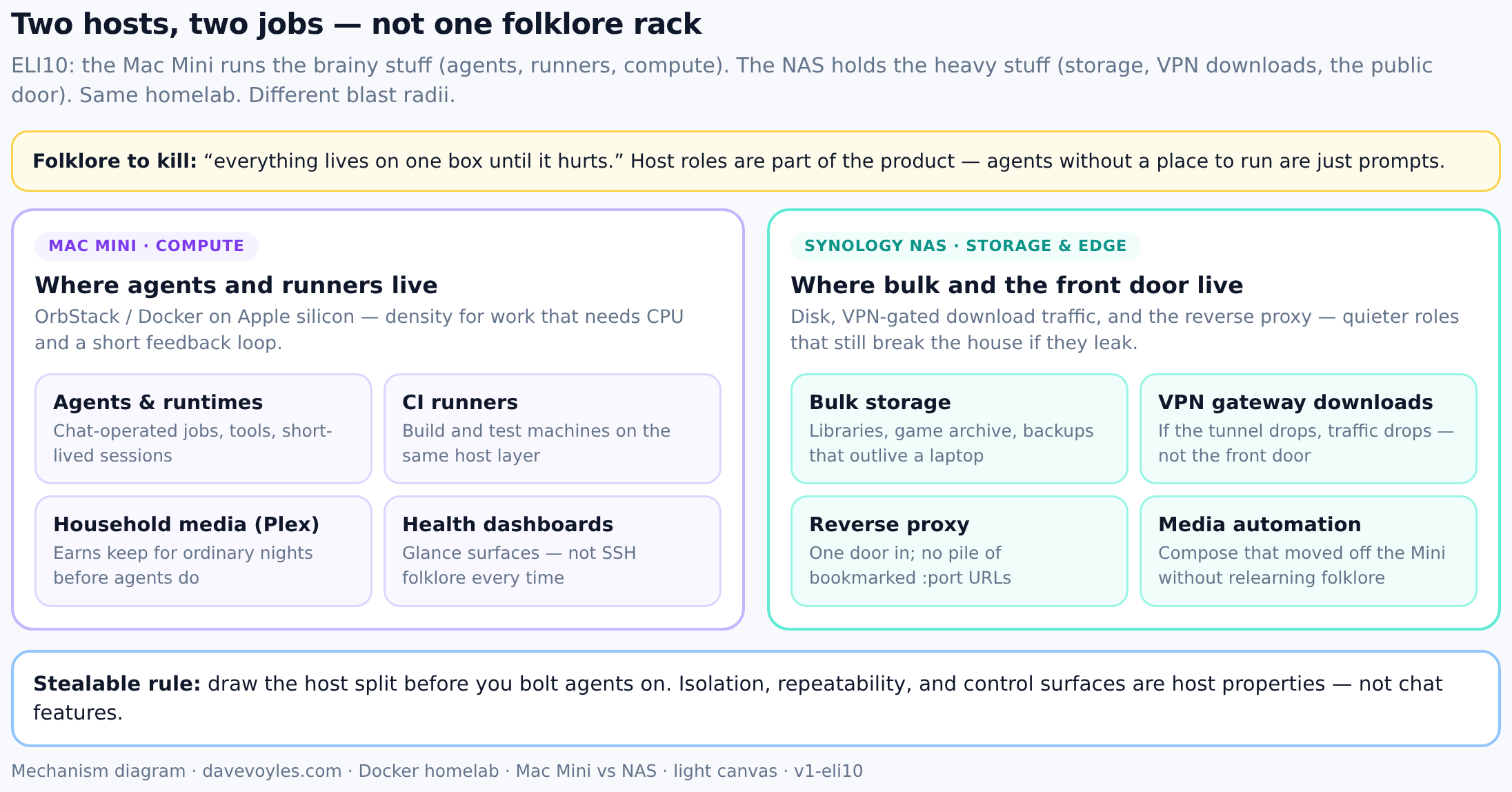
ELI10: brainy work on the Mini; heavy disk and the public door on the NAS. Same homelab, different blast radii.
On the constellation, Docker sits under the fleet; Azure is where work meets cloud and pipeline reality; dashboards are the web control surface — supporting identity, not replacing it.
What’s actually running (this isn’t hypothetical)
Twenty-plus containers is an abstract number until you know what’s behind it. A few of the pieces that get daily use, for context:
- Plex, for movies and TV — the thing that makes the rest of this defensible to the rest of the household, not just to me.
- A backup archive of my old PC games, organized into folders by platform and year, served through a clean web interface I can hit from any device on the network. If I want to replay something I bought in 2009 and lost the install media for a long time ago, I find it and pull it down in a couple of clicks instead of digging through old external drives.
- A media-automation stack (Sonarr, Radarr, Prowlarr) that keeps the Plex library organized without me babysitting it, paired with Recyclarr syncing community-maintained quality profiles so I’m not hand-tuning dropdown settings across three different apps.
- A reverse proxy in front of a dashboard, so the whole stack has one door in and one place to see health at a glance instead of a pile of bookmarked
:portURLs. - Watchtower, which auto-updates container images on a fixed nightly schedule — but only for services I’ve explicitly opted in with a label, so nothing I want pinned drifts out from under me overnight.
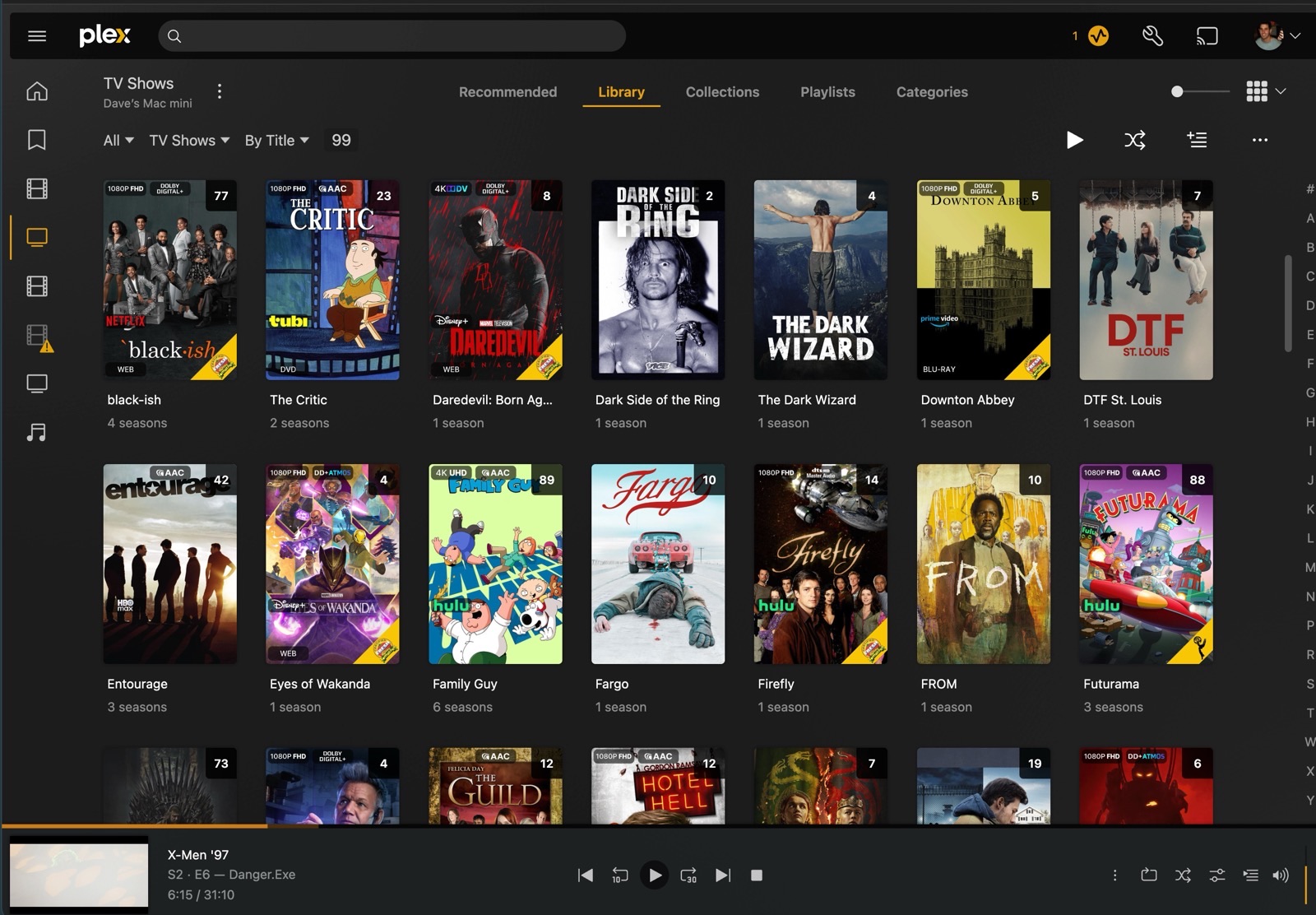
Proof of life, not a product shot: the host layer earns keep on ordinary nights before it ever does anything agent-related.
The point isn’t the list — it’s that this stack earns its keep on ordinary nights before it ever does anything agent-related. That’s what makes the “hardened defaults” section below more than theory.
Hardened defaults (the boring half)
I care less about clever container tricks than about defaults that assume compromise and mistakes:
- Capabilities dropped where possible
- Networks scoped on purpose
- Read-only roots when the workload allows
- Secrets not casually mounted into every agent
None of those are theoretical either. The download clients — the pieces of this stack most exposed to untrusted network traffic — run behind a VPN gateway container rather than talking to the internet directly off the host; if that tunnel drops, the download traffic drops with it instead of leaking out the front door. Docker networks are segmented on purpose instead of one flat bridge everything can see everything else on. Secrets live in per-service files, not one shared blob every container can read.
Agents that can operate containers are powerful. They should inherit the same paranoia you would give a new on-call engineer on day one — least privilege by default, not “we’ll lock it down after something goes wrong.”
Agent-operated does not mean unattended chaos
“Agent-operated” means agents can propose and execute routine ops work under the same gate stack as code, not that they get root and good intentions:
- Plan the change — a concrete, diffable description of what’s about to happen, not a vague summary of intent
- Apply in isolation where possible — a dry run or a scoped/staged pass before anything touches a live service
- Pass eval / policy checks — automated checks that gate the change the same way a test suite gates a pull request
- Escalate when the action is irreversible or ambiguous — anything that can’t be undone with a config restore or a simple restart stops and waits for a human, full stop
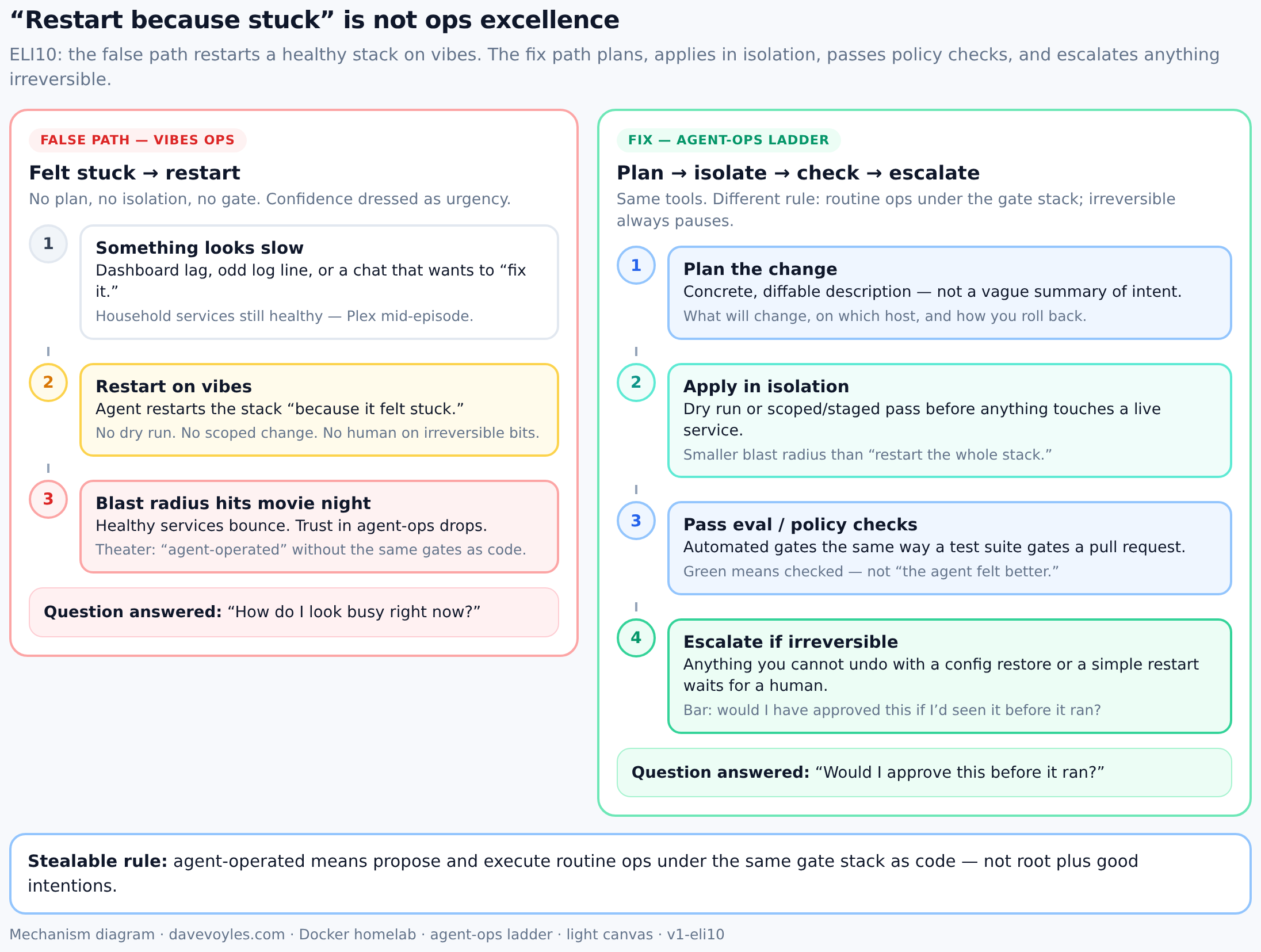
ELI10: left path answers “how do I look busy?”; right path answers “would I have approved this before it ran?”
If an agent restarts a healthy stack “because it felt stuck,” that is not ops excellence — that is a missing gate. The bar isn’t “did the agent do something useful,” it’s “would I have approved this if I’d seen it before it ran.”
Azure and delivery
Cloud is not a logo strip on a résumé. In this system, Azure (and GitHub/ADO-style pipelines) is where personal production meets SLA-shaped delivery: builds, deploys, and the long tail of platform work. Homelab and cloud are complementary: local density for agents and tools; cloud for reach and durable delivery surfaces.
What this is not
- Not Xbox-scale infrastructure. Twenty-plus containers on two household hosts is a real ops footprint, not a data-center résumé line.
- Not unattended root. Agent-operated means gated routine ops — plan, isolate, check, escalate — not a robot with sudo and a smile.
- Not a logo-soup inventory. The list above exists to show the stack earns keep on ordinary nights; the stealable part is host split + hardened defaults + the ops ladder.
How to start (stealable)
- Draw the host split — what runs on compute vs storage/edge before you bolt agents on.
- Compose the world — recreate from files and secrets, not SSH folklore.
- Harden the defaults — drop capabilities, scope networks, keep secrets per-service, put risky traffic behind a VPN gateway.
- Put routine ops on a ladder — plan → isolate → eval/policy → escalate irreversible (same shape as human approval).
Later posts in this series lean on the same production shape: Eval gates, Human approval, Claim safety, GitHub tokens, Landing floor.
Steal this rule: if you cannot draw the host layer, you do not yet have an agent production system — you have a conversation with nowhere to live.
Bottom line: prompts do not host production. Containers, networks, pipelines, and dashboards do. Draw the hosts, harden the defaults, and put agent ops on the same gate stack as code — or admit you are still demoing.