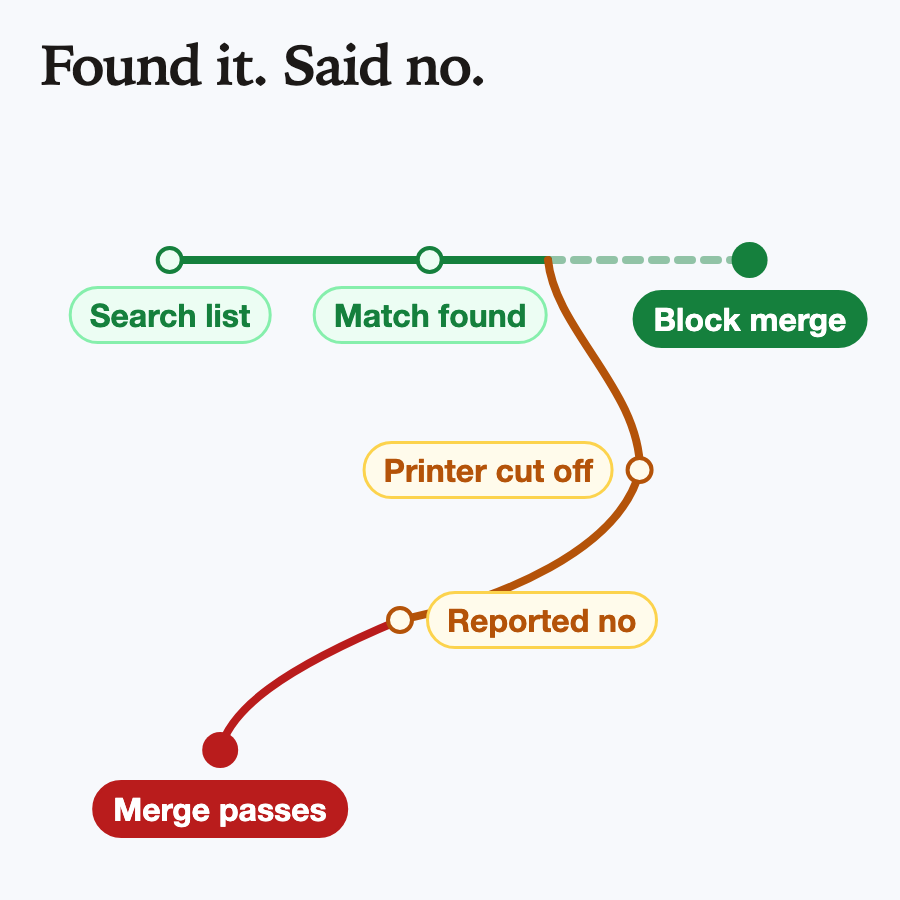
The search found the line it was looking for. That was the annoying part.
I run a handful of small safety checks around my coding agents, and one has a simple job: if the agent that wrote a pull request tries to merge it, stop it. A pull request is a proposed change waiting for approval, and the point is that the author does not get to be the approver. Under a heavy test run, that check started getting the wrong answer. It found the agent’s own work right there in the session’s commits, then concluded the agent had written nothing, which is the one answer that lets the merge through.
Nobody was being clever, and nothing was hacked. A perfectly ordinary line of shell script was telling the truth about the wrong thing. So here is the rule I took away: a guard should fail closed, and a check that says “no” because it crashed is not the same as a check that says “no” because it looked.
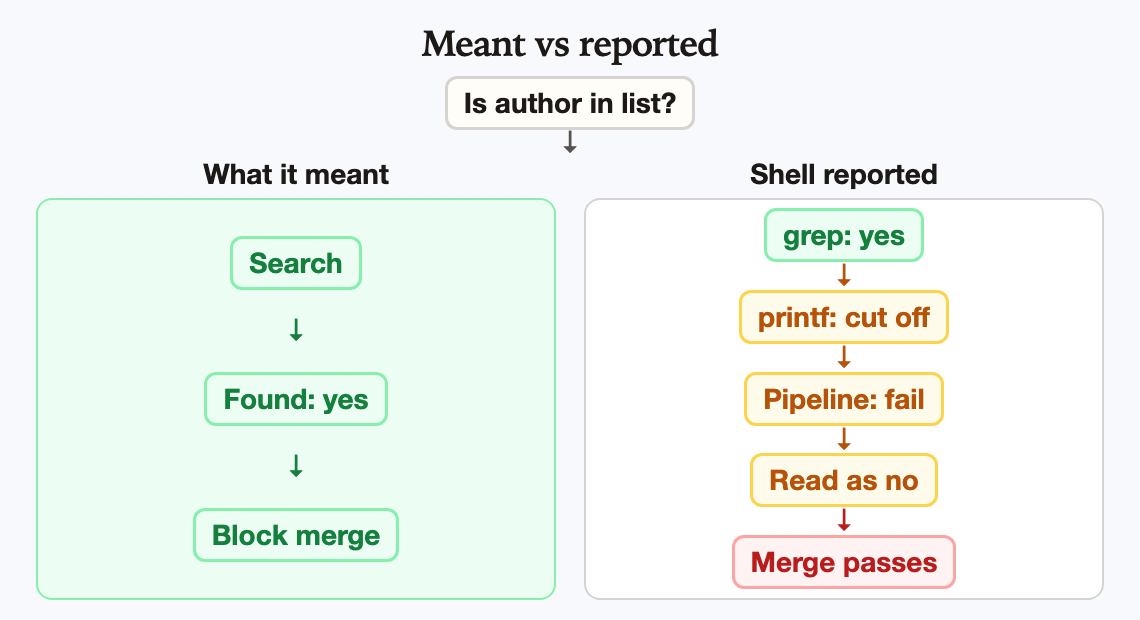
Same search, two answers. The guard meant “found it, block.” The shell reported the printer’s failure, and the guard read that as “no.”
In brief
- A common shell habit, piping text into
grep -qto ask “is this in here?”, can report no match even when the match is right there. - It happens when
pipefailis on, the text is long, andgrepfinds the match and leaves before the printing is finished. - In a guard, a false “no” can mean fail open: the check waves something through that it was built to stop.
- It surfaced as a flaky test under load, not as a bad merge somebody noticed. The shipped fix hands
grepthe text directly and adds a lint. The stricter fix also blocks whengrepitself breaks.
Words I use
- Pipe — the
|character. It feeds what the left command prints into the right command, like a hose between two buckets. grep -q— search quietly. Print nothing, just answer yes (exit status 0) or no (exit status 1). A 2 meansgrepitself hit an error. The GNU manual says it will “exit immediately with zero status if any match is found.”pipefail— a bash setting. Normally a pipeline reports only how the last command did. Withpipefailon, it reports a failure if any command failed.- SIGPIPE — the signal a program gets when it writes into a pipe that nobody is reading anymore. By default it stops, and bash records a failure.
- Fail open / fail closed — when a guard breaks, does it let things through (open) or block them (closed)? For anything protective, closed is the polite choice.
How a correct search turns into a wrong answer
Picture the guard at work. It has a long list of commit lines in a variable and wants to know whether the agent’s name is in there. The natural way to write that looks like this:
set -o pipefail
if printf '%s\n' "$commits" | grep -q "$author"; then
  echo "you wrote this, you don't get to merge it"
  exit 1
fi
It sounds fine: print the commits, search them, block if the author shows up.
Now look at what happens when the list is long. printf starts pouring text into the pipe. grep finds the author on an early line and does what -q promises: it says “yes” and leaves. But printf still has thousands of lines to write, and the only reader just walked out. The next write hits a pipe with nobody on the other end, printf gets SIGPIPE, and it dies with a failure status.
Without pipefail, bash would only report how grep did, and grep said yes. With pipefail on, which I use precisely because I want failures to be loud, the pipeline reports the printer’s failure instead. The if sees a non-zero status, reads that as “no match,” skips the block, and the merge goes through.
| Step | What the guard meant | What the shell reported |
|---|---|---|
| Search the commit list | Is the author in here? | grep found it and said yes |
| Finish printing the list | Not part of the question | printf was cut off and failed |
| Report the pipeline | Yes, block the merge | Failure, so “no match” |
| Decide | Stop the author | Let the author through |
Every piece did its job. grep -q exited early and pipefail reported the failure, both as documented, and the guard trusted the exit status. The bug lives in the gap, where “the printer got interrupted” and “the pattern was not found” come out of the same door.
Why it hid for so long
It mostly does not happen with short text. A pipe holds up to 64 KiB by default on Linux, so a few lines fit in all at once: printf is finished before grep can even read the match, and nobody is left to cut off. On my box, failures began only once the text passed that size. That makes the bug depend on size and timing, the worst kind, because it passes every quick test.
That is how it surfaced for me. A test suite that tries to sneak merges past the guard started failing different rows on different runs while the full test gate loaded the machine. Flaky tests usually mean the test is wrong. This time the guard was, which is better found in a test than in real use.
To check I was not telling myself a story, I reran the shape on a plain Linux box with bash 5.2 and GNU grep 3.11, using a couple hundred thousand lines with the match on the first one. The piped version said “no match” on all 50 runs. Handing grep the same text directly said “match” on all 50. With three lines, the piped version was fine every time.
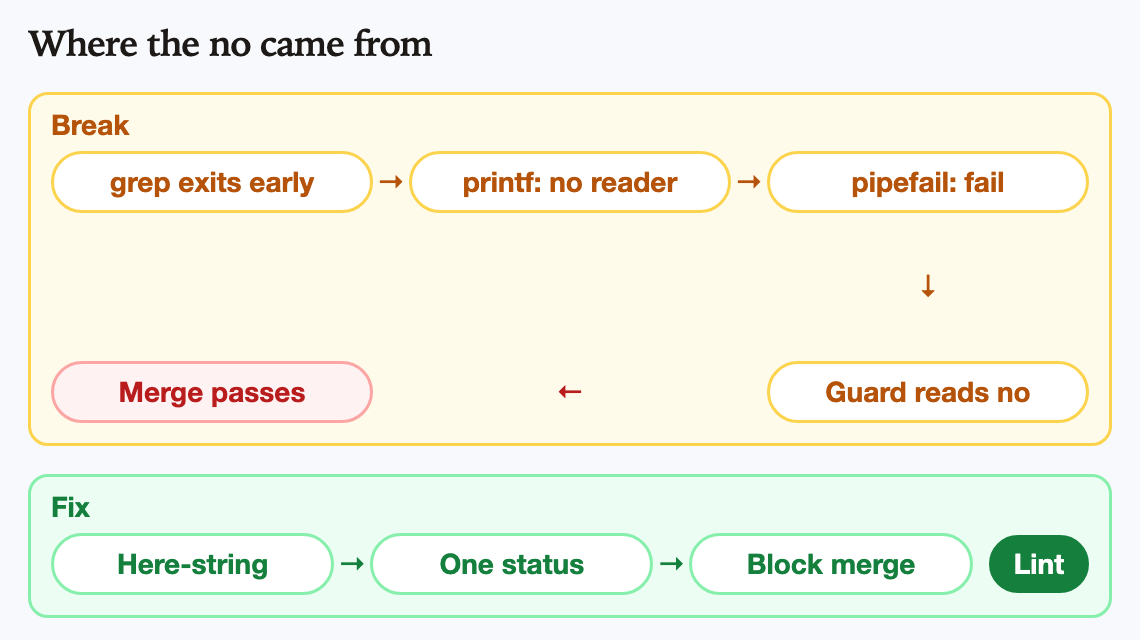
The no came from the printer, not the search. Hand grep the text directly, read grep’s own status, and let a lint keep the pipe from coming back.
The fix, and the part that actually keeps it fixed
The first repair is small: hand grep the text directly with a here-string, bash’s <<< form, instead of piping it in. With no second program writing, nobody gets cut off. If you would rather keep the pipe, grep -c pattern >/dev/null also works, because counting has to read to the end.
Once you know the shape, you go looking, and the same habit sat in a handful of other hooks: a check that decides whether to stay quiet at session start, a check that allows read-only --help lookups, a few path-safety checks. All were one busy afternoon away from answering the wrong question.
The self-merge guard itself had already moved to the counting form, on a fixed pattern, not a name. The change I shipped moved those other hooks to the here-string form and added a lint, a small automatic check that reads the hook scripts and fails if anyone writes “print a variable, pipe it into grep -q” again. It carries its own bad and good examples, so it proves it catches the pattern and leaves the fix alone. A fix that depends on everyone remembering a blog post has an expiration date.
Not found is not the same as broken
I want to be straight about what shipped. It removed the SIGPIPE failure, but it does not yet follow the rule at the top of this post. grep has three answers, not two: 0 means it found a match, 1 means it read everything and found nothing, and 2 or higher means something broke. A plain if grep -q folds the third answer into the second, so a broken search reads as “not found,” the branch that allows. A reviewer of this post proved it: with the author set to a lone [, grep prints “Invalid regular expression,” exits with 2, and even the here-string version waves the merge through.
The stricter version, the next step rather than something my hooks already do, asks a literal question and listens to all three answers:
rc=0
grep -qF -- "$author" <<<"$commits" || rc=$?
case $rc in
  0) echo "you wrote this, you don't get to merge it"; exit 1 ;;
  1) ;;  # read every line, the author is not there: allow
  *) echo "could not check authorship (grep exit $rc), blocking"; exit 1 ;;
esac
The -F matters because an author name is literal text, not a pattern. Without it, grep treats [, ., and * as instructions, so a bot account named release-bot[bot] becomes “release-bot followed by a b, o, or t.” That misses the real name, and the check allows. With -F, a lone [ is just a character to look for. The -- stops a name starting with a dash from being read as an option.
The last branch is the rule itself. Any status other than 0 or 1 means grep never gave an honest answer, so the guard blocks. Writing || rc=$? on the same line keeps this working under set -e. On the same box, it blocked a real match, allowed a true non-match, found the bracketed bot name, and blocked when grep failed.
Put it into practice
If you have shell guards, this is a ten-minute audit:
- Search your scripts for a
|intogrep -q,head, or anything else that can exit before reading everything. - Check whether
pipefailis on there. If it is, the pipeline can report the writer’s failure. - If “not found” means “allow,” that line can fail open.
- Switch to a here-string or
grep -c ... >/dev/null, use-Ffor names, and block on any status other than 0 or 1. Test with a very long input and a strange name like[. - Add a lint so the next person, or the next agent, does not write it back in.
The bottom line
Agents will happily write the idiom they have seen a thousand times, and so will I. The lesson is not “never use pipes.” It is that a guard has to know the difference between “I looked and it was not there” and “something broke while I was looking,” and when it cannot tell, it should block. Quiet failures in a safety check are just waiting for a busy day.