Companion to The last click is still yours and the agent production system series.
Words I use below
- Agent — a program that writes code for you in a chat session
- Pull request (PR) — a proposed change waiting for review; on GitHub it has its own page, with a button to accept it
- Merge — accepting that proposed change so it becomes part of the main project
- Personal login — you, signed in as yourself; when you type commands, GitHub sees your name
- GitHub App — a robot you install on a GitHub project so it can click buttons as itself — not as you; it can approve, and it can merge
- Short-lived token — a temporary key the robot gets to prove it may click; it dies in about an hour, and after that it is junk
- PAT (personal access token) — a long-lived key tied to you; if it leaks into a chat log, it keeps working until someone turns it off
- Broker — a small program that hands out a short-lived token when the rules say yes; the agent asks, the broker decides, and the agent does not invent a key
- Automatic tests — programs that run by themselves when you propose a change; green means they passed
Those nine words are the toolkit. Now the point.
People mix two keys. One is yours. The other is a short key for a robot. They are not the same thing, and treating them as the same thing is how a demo becomes an incident report with a polite subject line. Agents ask a broker for a short-lived token. They do not get a personal access token in chat.
The paste that keeps working
Most demos treat GitHub as: paste a personal access token into the chat and hope. That works until the key shows up in a transcript, or until the robot opens a pull request and GitHub refuses to let it approve its own change — which is, in fairness, GitHub being helpful about a problem you created for yourself.
Picture the last minutes of a session. Something failed with “not allowed.” The agent asks you to paste a new key. You paste a personal access token, because that is what every tutorial taught you to do when a robot looks sad. Now the key lives in the chat forever. The chat is a file on disk. That is not a secret anymore; that is a souvenir you will regret.
If a key matters, the agent does not get to see the long one.
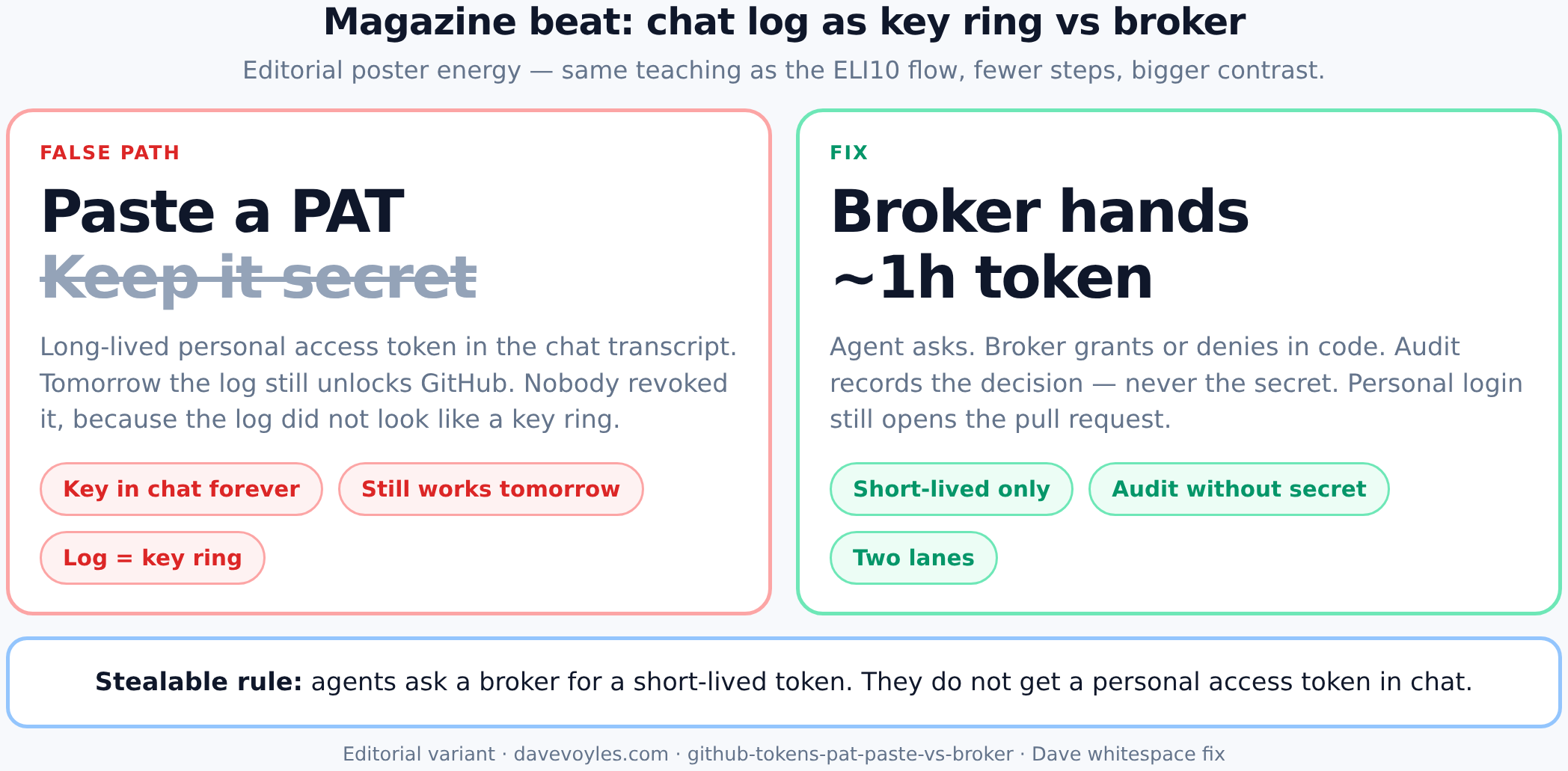
ELI10: left path puts your long-lived key in a chat log that still unlocks GitHub tomorrow; right path asks a broker for a dying key and never writes the secret into the audit line.
Example: the not-allowed paste. It’s late. The robot’s short-lived token died. GitHub said no. The agent does not ask the broker for a new one — it asks you for a personal access token, because humans are slower to say no when they are tired. You paste it. Tomorrow that chat is in a log. The personal access token still works. Nobody turned it off, because nobody thought of the log as a key ring, and key rings do not usually look like Markdown files with a friendly timestamp.
That is the failure this post is about. Not “agents cannot use GitHub.” They can. They just do not get your long key, and they do not get to treat “please paste something wider” as the default recovery plan.
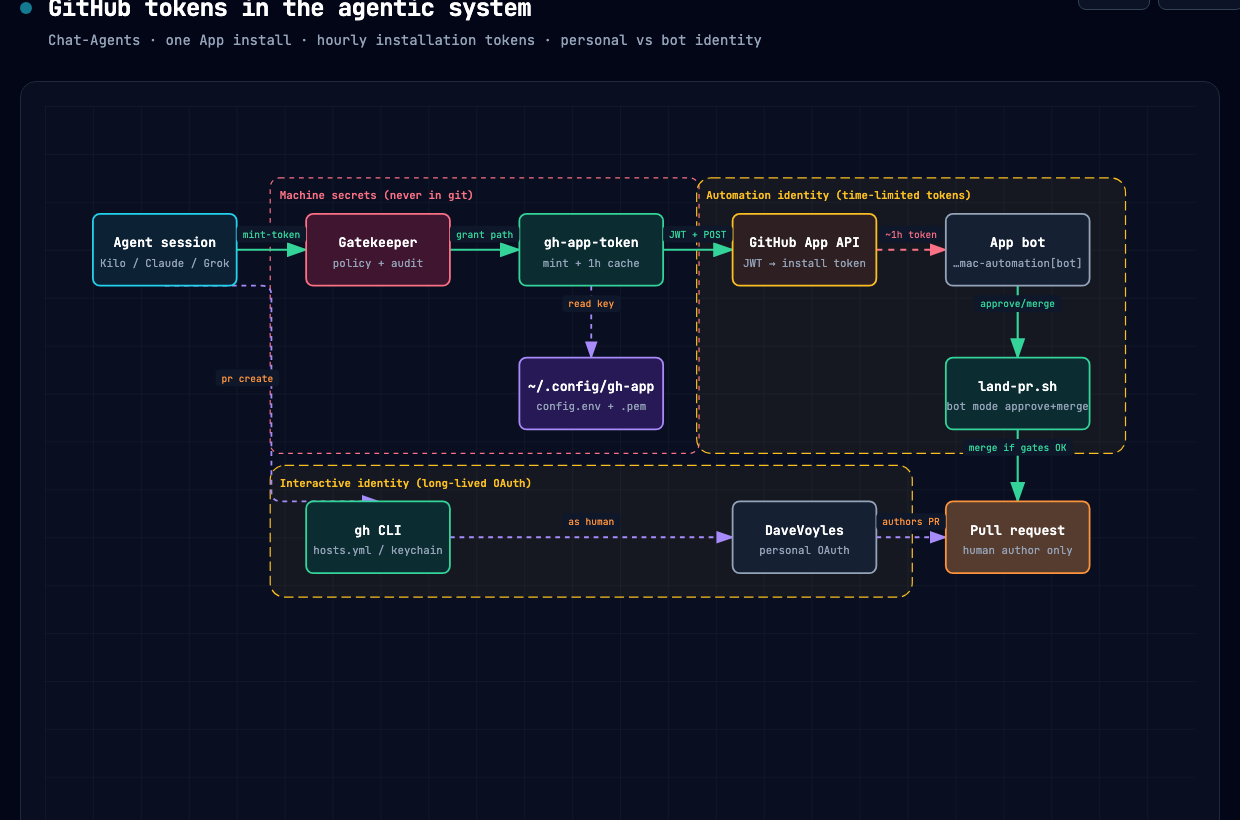
ELI10: one robot login (GitHub App), many short-lived tokens from a broker; your personal login opens the pull request, and machine secrets stay out of git.
Two names on purpose
Think of two lanes — not as a mood board, as a rule you can steal into a runbook without rewriting it into poetry:
| Lane | Who GitHub sees | How long the key lasts | Used for |
|---|---|---|---|
| You | Your personal login | Until you sign out | Work you are doing: open a pull request, poke around, push as yourself |
| Robot | A GitHub App | About one hour | Approve and merge after automatic tests pass |
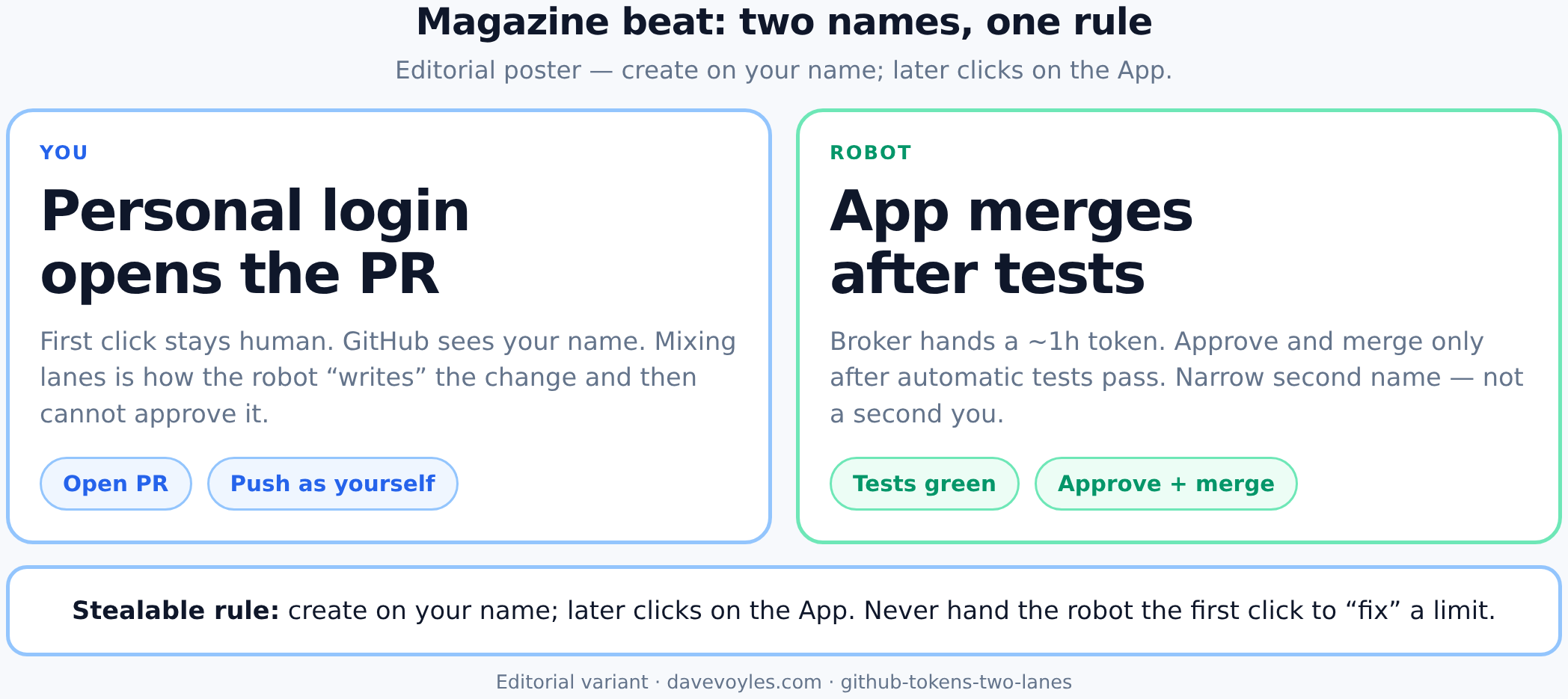
ELI10: left lane is you — open the pull request on your personal login; right lane is the robot — approve and merge only after automatic tests, with a short-lived token from the broker.
Look at a normal afternoon. Work is moving. Nothing sits in the middle waiting for someone to feel that a key was fine. The broker already said yes or no. Empty waiting is not a stall. It is the rule doing its job, which is the boring kind of good news.
Agents do not each own a GitHub App. They call one broker. That broker talks to one App. It gets a short-lived token. It throws the token away when done, which is the whole point of making the token die on a schedule instead of dying when someone remembers to revoke it.
You stay on your personal login. The robot stays on the GitHub App. Mix them and you get a boring failure: the robot opened the pull request, so GitHub will not let that same robot approve it — and you discover this when you wanted to be done, not when you were in the mood to learn about identity.
Rule that saves pain
Opening a pull request stays on your personal login. Approve and merge after automatic tests can use the robot.
Steal that as a card: create on your name, later clicks on the App, and never “fix” a rate limit by handing the robot the first click.
Example: the robot that cannot approve itself. You were hitting a limit on your personal login. So you let the GitHub App open the pull request, because that felt clever at 11pm. GitHub now thinks the robot wrote the change. At the end of the night a script asks the same robot to approve it. GitHub says no. Same name cannot approve its own work. You find out when you wanted to be done. Keep create on your name. Wait out the limit if you have to. Do not “fix” a limit by handing the robot the first click — that is not a fix, that is a costume change.
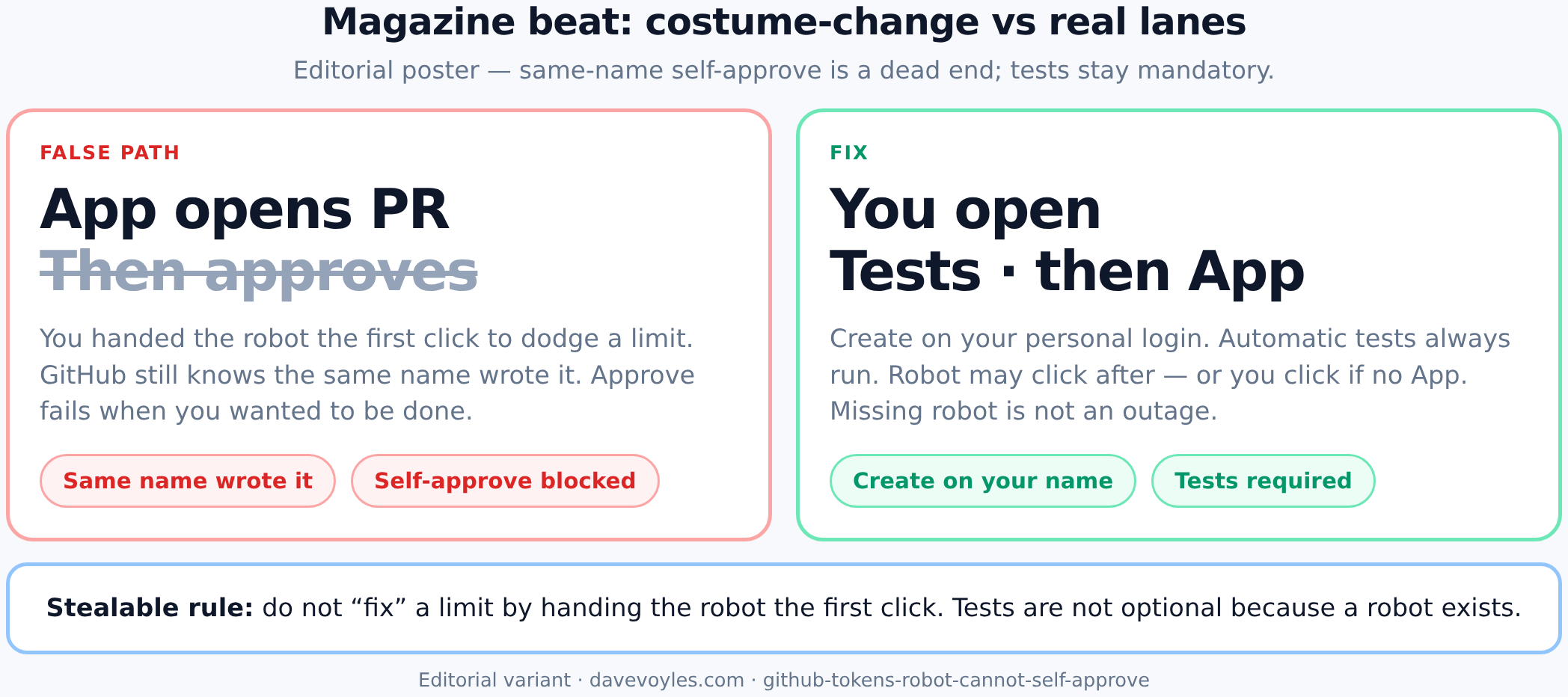
ELI10: if the robot opened the pull request, GitHub blocks that same robot from approving it; keep create on your name, let automatic tests run, and only then let the App click — or click yourself if there is no App.
A program hands out the key
I do not let the agent talk its way into a key. The broker is plain code with a fixed list of answers, which is less glamorous than a model that “reasons about least privilege,” and also less likely to invent a wider key because the paragraph sounded confident:
- Request — what it wants to do, which project.
- Policy in code — a small key by default. A wide key is a no.
- One of:
- GRANT — a short-lived token on the way out (never written into a log as the secret).
- DENY — a structured no: what blocked it, what to try next.
- Audit line — who / what / when / yes-or-no. Never the token value.
The caller can be an agent. The decision cannot. That is the same idea as eval gates: a security line is not a paragraph the model can rewrite until it finds a friendlier reading.
If the agent decides “I need every button, hand me something wide,” you already lost. If you paste a personal access token into chat every time something says no, you lost the log and the safety, which is an impressive two-for-one if you are collecting ways to regret a Thursday.
What to try before asking a human for a PAT
When GitHub says no, the agent should not open with “please paste a new personal access token.” That sentence is a smell, not a recovery plan.
- Is the right name in use for this kind of work? Your personal login opens the pull request. The robot does the later clicks.
- For the robot: ask the broker again. An hourly token looks dead when it is only expired, and expired is the least interesting kind of dead.
- Does the GitHub App even cover this project with the buttons you need? A missing permission is not fixed by asking harder, or by pasting a wider key into a place that will be screenshotted later.
- Only then bother a human — and still not with “paste a personal access token.”
Asking a human for a brand-new long-lived key is a last resort (new machine, missing robot key). It is not the default, and it is definitely not the first reply to “not allowed.”
The robot is extra. Automatic tests are not.
This post is the key. The other post is a lock — a program that says no when a rule is broken. I will not walk it here. Read The last click is still yours.
One fact carries over: a missing GitHub App is not a broken install. Automatic tests still run. If the robot is there, it may click after they pass. If not, you click — which is still a production system, just one that refuses to pretend a missing robot is an outage.
| Mode | GitHub App set up? | What happens |
|---|---|---|
| You click (default) | No | Automatic tests run; print the merge steps for you |
| Robot can click | Yes | Same automatic tests; then the robot can approve and merge |
Automation should not mean “merge anything that compiled.” The robot is a narrow second name, not a second you with every button forever. That pairs with human approval: merge is still a product decision, and a dying key does not change that.
Small keys
Give the GitHub App only the buttons it needs:
| Button | Why the robot has it |
|---|---|
| Pull requests: read and write | So it can approve |
| Project files: read and write | So it can merge |
| Status marks: read and write | So it can see that review happened |
The robot’s private key lives outside any git repo. Never commit it. That sentence is not a vibe; it is the whole difference between “machine secret” and “pull request with a surprise ending.”
When the broker hands out a token, print the length, not the key. Length is useful. The key is how you get a story you did not want to write.
Where this sits in the series
This post is the key. The other post is the lock without needing the robot.
| Post | Role |
|---|---|
| Eval gates | Automatic tests before you trust the change |
| Human approval | A person still hits merge |
| This post | Your login vs a robot login, if you add a GitHub App |
| The last click is still yours | The lock without needing a GitHub App |
On the About picture: Eval gates and Human approval are the idea. A robot that merges is a convenience on top — useful, optional, and still not a reason to paste a long-lived key into a chat.
How to start
- Agents do not get a personal access token in chat.
- Your personal login opens the pull request.
- A broker hands a short-lived token to the GitHub App when you want the robot to click.
- No GitHub App yet? That is fine. You still click. Read The last click is still yours.
- If GitHub says no: right name, ask the broker again, check the install. Do not ask for a personal access token.
What this is not
- A recommendation to paste personal access tokens into agent chats
- A claim that a robot must merge
- A dump of private runbook internals or live keys
- Permission to skip review because “the robot said so”
- The lock story — that is the other post
Bottom line: agents get a path to a short-lived token. They do not get a personal access token in chat, and they do not merge without automatic tests.